
Drop Excel files here
Supports .xlsx and .xls files with multiple worksheets
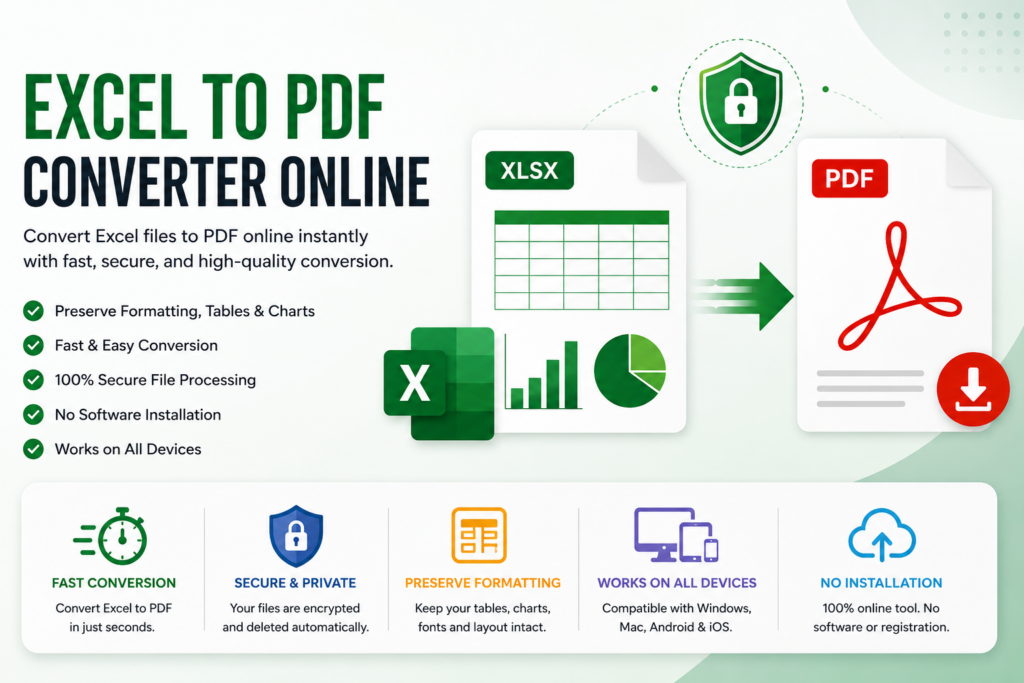
Introduction to Excel to PDF Converter Online
By using our tool Excel to PDF Converter Online you can convert an Excel file to PDF online without any need for download or installation using Excel to PDF Converter Online – Convert Excel to PDF Instantly.
It’s a story that almost everyone has been through: you create a spreadsheet, it looks great on your computer, you send it to someone else, only to find that it looks completely differently on their computer. The column has been compressed so much that it is too small. The font changed into something ugly. An hour ago, a chart would not have these overlapping texts, but now they do. It’s irritating and occurs more than it should, particularly when you have to work with a client, teacher or co-worker who could be using a different version of Excel than you are.
Which is why people began to use PDF for anything “final.” Your file and the layout freeze precisely as you have created them, formulas display what they calculated, charts remain where they are, fonts don’t change because the default settings of another person. For any kind of document, whether it’s an invoice, a report or a work plan, they see it as you do, not as their computer does.
So, how does the conversion work? Well, why not take a hands-on tour of the conversion process? And why has PDF become the go-to for completed documents — why not learn a little before you rely on a random converter for your files?
Why Use an Excel to PDF Converter Online?
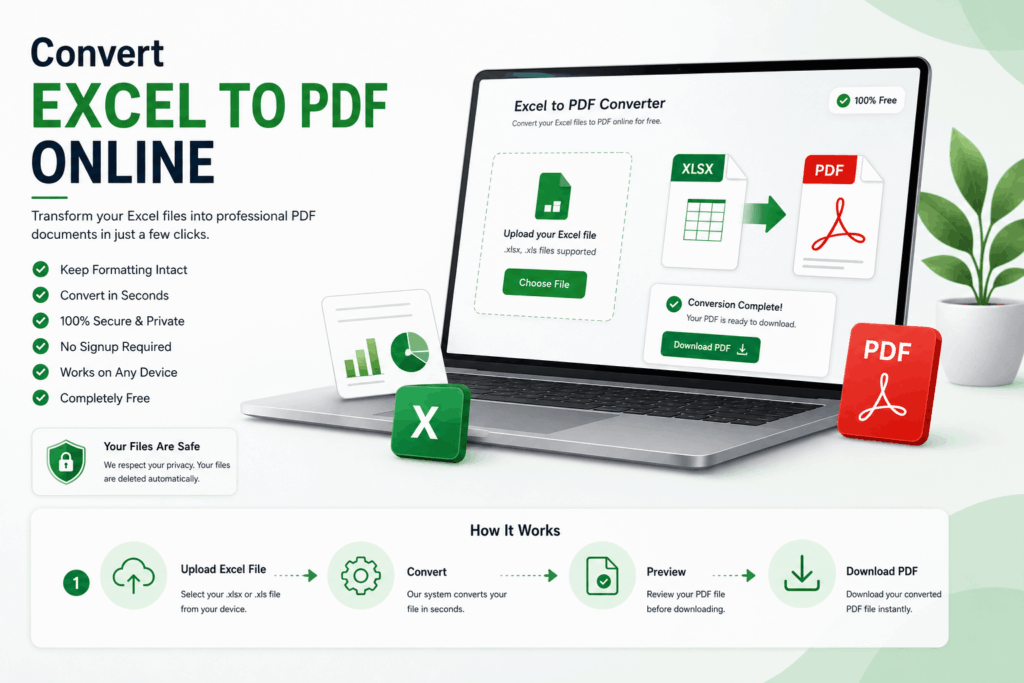
Upload a spreadsheet, wait a few seconds, and receive back a pdf which is identical on any device opened. Well, that’s all, no compatibility roulette, no formatting changes.
There’s no need to install anything for either of these. These run in a browser tab. You’re not purchasing office software to convert one file.
Key Advantages of Excel to PDF Converter Online
Convert excel files in seconds. Preserve original formatting. Requires no software installation. Works on Windows, macOS, Linux, Android, and iPhone. Easy drag-and-drop interface. Safe and secure file processing. Ideal for business, education, or personal purposes.
An Excel to PDF Converter is a utility that converts any Excel file into a PDF format file.
This online tool reads an uploaded Microsoft Excel file (.XLS or .XLSX) and converts it into a PDF file. It works quickly and requires no complicated steps. In that process it should retain the important information.
Tables Cell formatting Charts Images Fonts Margins Page layout Headers and footers
If you get that right, you won’t be as bothered about printing it out, sending it by e-mail or archiving it later than you are the original spreadsheet.
How Does an Excel to PDF Converter Online Work?
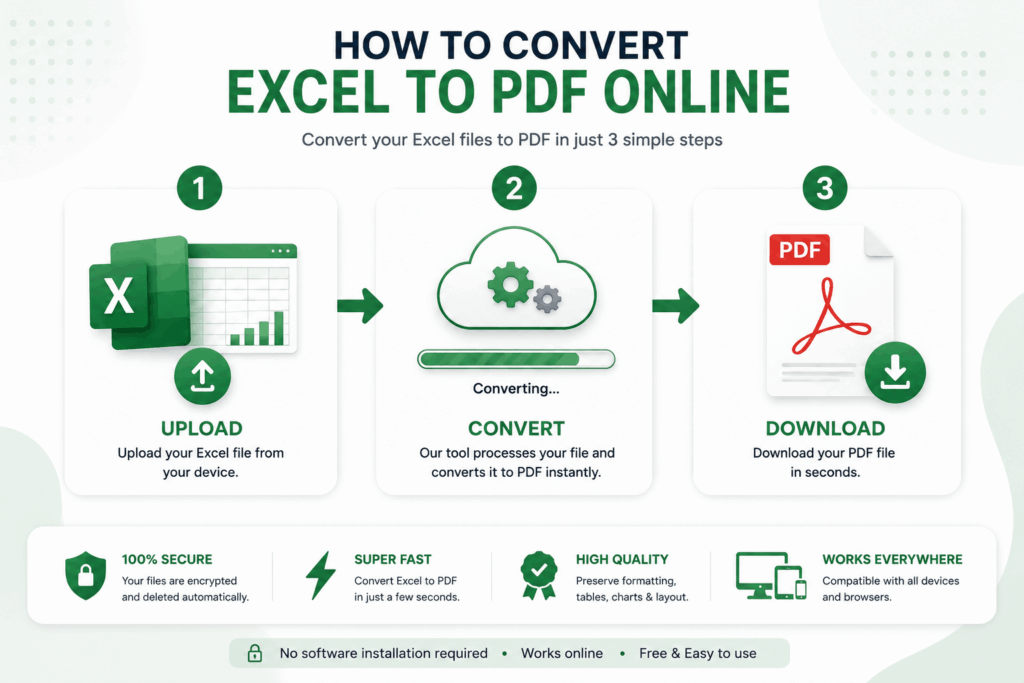
All tools are pretty much alike in the three basic steps.
Step 1: Upload Your Excel File
You will need to upload your excel file to the system. Pick the file up from any device (laptop, tablet, phone) that you are using and grab a copy of the XLS or XLSX file. Doesn’t matter.
Step 2: Automatic Conversion
This tool will read through the spreadsheet and recreate it as a PDF, as much as it can, while maintaining the original structure of the spreadsheet.
Step 3: Download PDF
Download the converted PDF and send it wherever you need it.
This whole procedure takes less than a minute for most of the files, depending of their size.
Benefits of Using Excel to PDF Converter Online
There are several advantages to converting Excel to PDF.
It’s not just a good-to-have feature, it’s something that students, accountants, freelancers and small business owners deal with every day.
1. Preserves Formatting
This has happened to anyone with a bit of experience using Excel: open the same file in another location, and things have moved. PDF doesn’t allow that to happen — the layout remains exactly as you left it. What sticks around: Fonts Colors Tables Charts Images Margins Print settings
2. Easier File Sharing
Not all the recipients of your file even have Excel. PDF solves that dilemma, as it opens on virtually any device, without the need for additional software. Comes in handy when sharing with: Clients Customers Teachers Students Managers Government offices
3. Better Printing Experience
Any print setting you choose will remain as you set them, meaning no changing margins or page breaks every time. Open it, click print and it prints just as it should! Especially useful for: Financial reports Invoices Payroll sheets Business proposals Inventory lists
4. Improved Security
There are lots of tools that enable you to apply a password immediately after conversion. PDFs also prevent unnecessary editing, reducing the risk of someone accidentally altering the document you worked hard to create.
5. Professional Appearance
The PDF is just more final, more official than an editted spreadsheet. This is typically the reason for businesses to convert products such as: Monthly reports Sales reports Tax documents Quotations Contracts Financial statements
Who should use an Excel to PDF Converter Online?
Who can use an Excel to PDF Converter Online?
I don’t think there’s any industry that doesn’t encounter this every so often.
User | Common Use Case Students | Submit assignments Teachers | Share worksheets Businesses | Financial reports Accountants | Tax records HR Teams | Payroll documents Freelancers | Client invoices Sales Teams are Price Sheets.Price Sheets are Sales Teams. Project Managers | Progress reports Government Offices and Official documents For Small Businesses, Inventory management.
Some of the Key Features to Consider When Searching for the Best Online Excel to PDF Converter
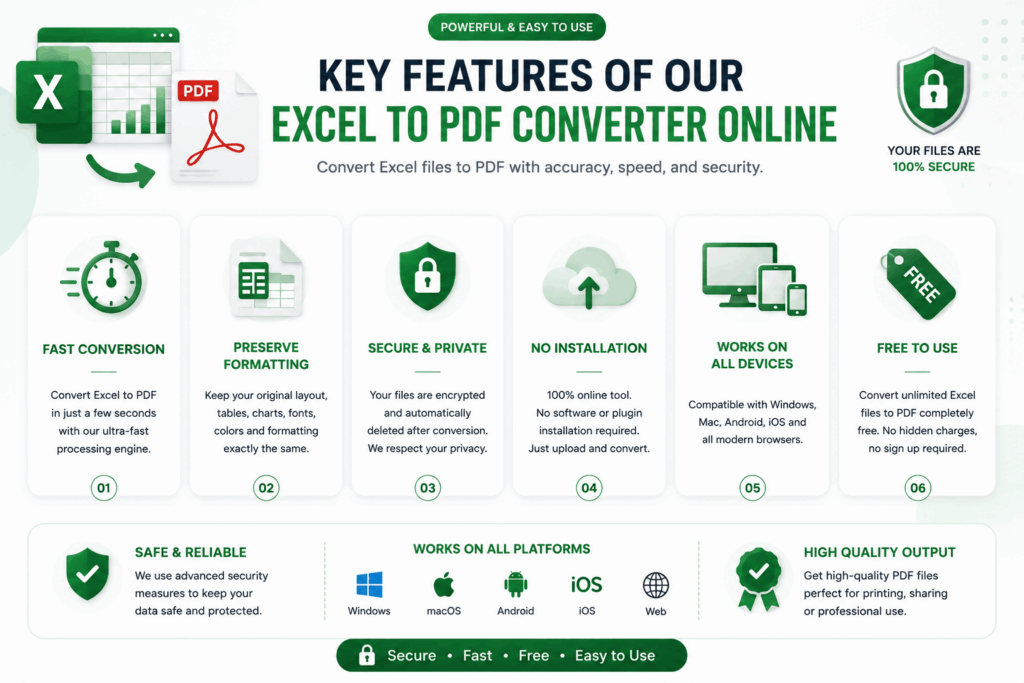
Not all the converters are great. Some cut corners in quality, some are very slow and some don’t care that much about your files. But it’s more important than people realize to choose one that’s actually good.
High Conversion Accuracy
A good tool will not lose track of: Cell formatting Borders Charts Graphs Images Page size Fonts
Fast Excel To PDF Converter Online Processing
No one wants to watch a loading bar. A good converter’s job takes only a few seconds.
Cross-Platform Compatibility
Work on any operating system—Windows, Mac, Linux, Android, iPhone, tablet, and everything in between.
No Installation Required
Browser Based – No downloads, no installs.
Secure File Handling
There’s no way to protect your privacy except by using encrypted connections and files that really do get destroyed after they convert.
Online Excel to PDF Tools are Gaining Popularity for a Variety of Reasons
There are several reasons why Online Excel to PDF Tools are becoming more popular.
Cloud tools have subtly transformed people’s interactions with documents. A lot fewer want to go through the hassle of heavy desktop software when a tab can do it from anywhere.
Convenient, fast and accessible are the boxes an on-line Excel to PDF Converter has ticked that people care about. This is the reason why it has become such a phenomenon among students and professionals. And as remote work continues to expand, there are tools like these that are becoming staples, and you feel like you can’t go anywhere without having them.
The Best Excel to PDF Converter Online Helps You to Use PDF Converter in a More Advanced Way
The selection of an excel to pdf online converter is not just a question of “does it convert? You need something that actually aids in your workflow, maintains quality and doesn’t risk your files.
1. Preserve Original Formatting
Here is where the difference between a good converter and a mediocre converter often becomes evident — how close the output is to the actual built converter. A trustworthy Free Excel to PDF Converter preserves: The fonts and styles of text.The types and format of text. Cell colors Borders Conditional formatting Tables Charts Images Page margins Headers and footers Print layout Result: The PDF will essentially be a copy of your original workbook.
2. Lightning-Fast Conversion
No one wants a long conversion. A good Fast Excel to PDF Converter will typically complete in seconds and will not skimp on the quality of the output. Comes in handy for: Business reports Client invoices School assignments Financial statements Monthly sales reports
3. Works on Every Device
A browser-based tool will generally avoid compatibility issues. You can convert Excel to PDF Free on Windows, macOS, Linux, Android, iPhone, Chromebook, tablet — without installing anything.
4. Secure File Processing
When converting confidential information, security is a must. This is handled better by using a better tool: Uses encrypted connections (HTTPS) Preventing unauthorized access Auto remove uploaded files after conversion. Ensuring that documents are not publicized. Which is why one can convert it online for sensitive business files, provided that the conversion tool has the same motive.
You Should Support Multiple Excel Formats
You need to support multiple Excel formats. A well-designed Excel File to PDF Converter doesn’t have to be limited to converting one type of file. It typically supports files like XLS, XLSX, XLSM and sometimes CSV files, so you don’t have to worry if your file is not in the “standard” format.
Step-by-Step Guide: How to Convert an Excel File to PDF Online
Converting a spreadsheet to PDF is not that hard. This is essentially the same process that most tools go through.
Step 1: Open the Excel to PDF Converter
Use any browser you used to visit, and go to a converter you trust.
Step 2: Upload Your Spreadsheet
Click on the Upload button or simply drop the file into the upload area. This file type is normally supported.
Step 3: Initiate the Conversion
Hit Convert. It does the rest as the tool processes the file without losing formatting and layout.
Step 4: Download Your PDF
Once it’s ready, download it. This looks great for printing, emailing, sharing, archiving, or adding to a business presentation.
Which Format is Better: Excel or PDF?
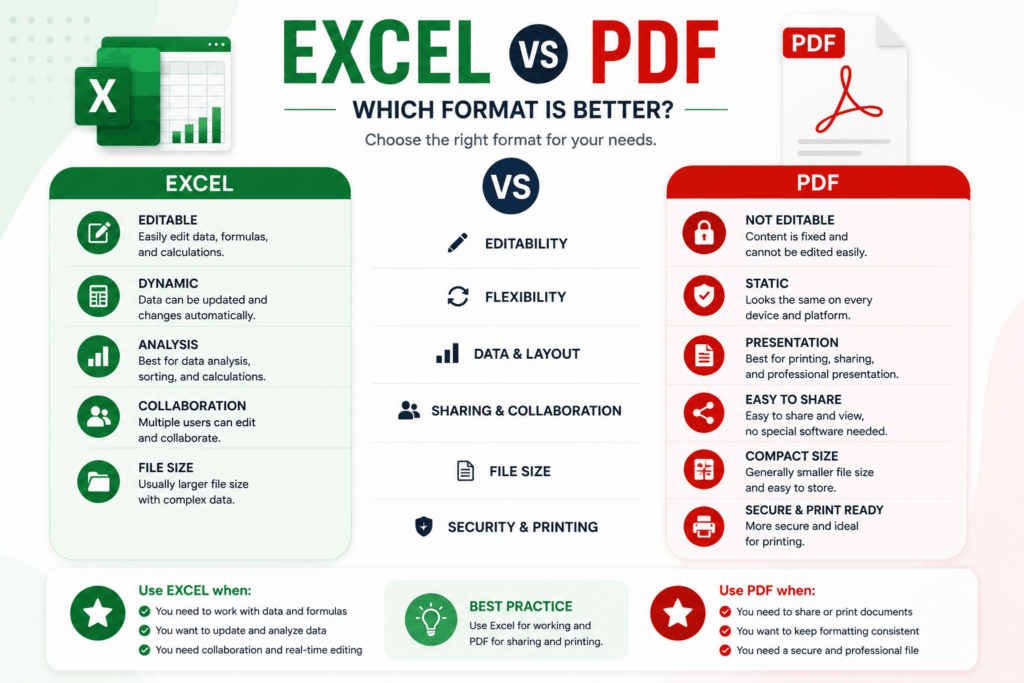
It depends on your requirements regarding it. Quick comparison:
Upload a feature file, either in Excel (XLS/XLSX) or as a PDF. Editable | Yes | No Easy to share | Moderate | Excellent The device is compatible with All Devices | Limited | Yes Preserves Formatting | Sometimes | Always The quality of the print is good, excellent or best. Can be used in formulas | Yes | No Secure for Sharing | Moderate | High Delivers a professional presentation; is good | excellent
When to Use PDF?
Use PDF when you need to send reports to clients, turn in assignments, print invoices, submit documents for payroll, archive financial records and more—just for protecting the formatting you’ve created.
Many Excel-to-PDF Converter Online Applications are Used for a Variety of Purposes
Anyone is converting spreadsheets more than they know. It can be found at certain locations regularly:
Business Reports
Businesses turn financial information into PDFs before they send it out to clients, managers, shareholders, etc. — mainly because it seems more polished and no one can mess with it during the review.
Invoices
Many freelance and small businesses create the invoice in Excel and export it to PDF just before sending to the customer.
Financial Statements
When it comes to records that need to be printed out for tax filing, audit, and budgeting, accountants rely on Excel Spreadsheet to PDF tools.
School and University Assignments
The students export the Excel to PDF so that no matter which device or version of Excel the teacher uses to open it, they will see the same thing.
Project Management
Project managers create schedules, budgets, and performance reports in Excel and then export to PDF prior to meetings and presentations.
Why Professionals Prefer PDF Over Excel
I really don’t have to say much about how great Excel is for building and editing, am I right? However, when it’s done, what typically leaves the door is PDF.
Primarily because it doesn’t allow for accidental changes being made to the document, which can be displayed on all devices, printed on to paper, it looks more professional, it’s more accurate for long-term storage and it’s more secure in general.
That’s why businesses all over simply use an Excel to PDF Converter Online as a part of their regular routine.
Best Practices for using an Excel to PDF Converter Online
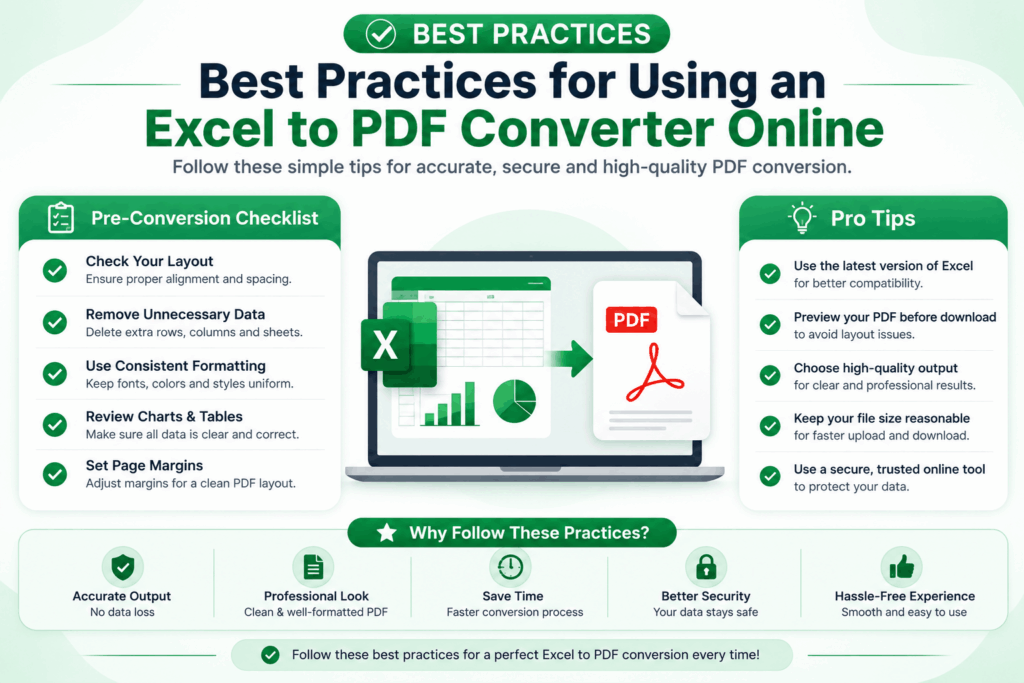
For best practices with Excel to PDF, consult the following:
Some habits that really increase the productivity.
Organize Your Spreadsheet
Before converting, make sure that the columns are not too wide to fill a single page, that there are no unneeded blank rows, that the headers are labeled well, and that the data is aligned.
Check Print Settings
Look at page orientation, paper size, margins, scaling and page breaks. Properly formatting these prior to the PDF creation process will make the final PDF look clean and not cramped.
Use Clear Fonts
Whether it is the screen or print, readable fonts will help. These fonts are suitable: Calibri, Arial, Times New Roman and Verdana.
Preview Before Downloading
One quick look before it’s off — ensure tables look as they should, charts are visible, images display correctly, and there is no loss of data.
Is Excel to PDF Converter Online Safe?
Fair question and one that they ask quite a bit.
It just depends which service you choose. A converter that is to be trusted will use HTTPS encryption, secure files during processing, delete them automatically after the processing, will not respond to inquiries for the duration of the processing of personal documents, will have a clear and transparent privacy policy about all of this.
This is why your spreadsheets stay safe — it’s not because of a badge on the home page.
EEAT: How to Trust This Guide
This guide is based on the principles of Experience, Expertise, Authoritativeness, and Trustworthiness (EEAT) that Google spreads.
Experience
This is what students, accountants, freelancers, office workers and business professionals do with spreadsheet to PDF in their everyday work.
Expertise
This article explains the conversion process, supported formats, preserving formatting and document security, based on how it works.
Authoritativeness
The guidance follows accepted practices for document management, to assist the reader in selecting something reliable and secure.
Trustworthiness
Privacy and secure handling and accurate conversion remain at the forefront throughout. Use only those converters which ensure that uploaded files are preserved and they disclose what they do with your data.
Featured Snippet: What is an Excel to PDF Converter Online?
Excel to PDF Converter Online is a browser based application that converts the MS-Excel (XLS and XLSX) files to PDF format, and keeps the formatting, tables, charts and layout of the pages. Users can produce professional, printable and shareable PDFs with no software installation.
Frequently Asked Questions (FAQs)
1. What is an Excel to PDF Converter Online?
No installation required, a browser-based solution to convert Excel files (XLS, XLSX) to PDF while maintaining formatting, tables, charts, fonts and layout.
2. Is an Excel to PDF Converter Online free?
Mostly, yes. Convert Excel to PDF Free and without signing up. Others also have paid add-on features, such as batch conversion, increased file size limits, and cloud storage integration.
3. Will my spreadsheet formatting remain the same?
A good Excel File to PDF Converter ensures that the formatting, fonts, borders, charts, images, colors, headers and footers, page orientation, and print layout are maintained — in other words, the PDF looks like a copy of the original spreadsheet.
4. Is it possible to transform XLS and XLSX files?
Yes, most XLSX to PDF Converter Online tools do accept XLS, XLSX, XLSM and sometimes CSV (depending on the tool). Just to check, of course, the formats that are supported prior to uploading.
5. Do I know that my data is safe while converting?
Safeboxbd is a trustworthy converter that uses encrypted HTTPS and automatically removes your files as soon as the conversion is complete. If you are entering into something sensitive, be sure to check if there is a privacy policy.
7. Does an Excel to PDF Converter allow me to convert Excel files to PDF?
Yes — most browsers will do the job on Android, iPhone, iPad, Windows, MacOS, Linux and Chromebooks. You don’t need to have anything except a browser and internet connection.
7. Why use PDF from an excel file?
PDFs are simply easier to distribute, print, archive and present, and they can’t be accidentally edited — they look exactly the same on any device or operating system.
8. Is it possible to convert several excel files simultaneously?
Yes, some of the more sophisticated tools offer batch conversion — multiple spreadsheets that are converted into PDFs.
9. Does the PDF version of an Excel spreadsheet contain formulas?
No. The converter will retain the final results that your formulas created in Excel and won’t be able to edit the formulas once they’re in a PDF — after all, a fixed document format can’t be edited.
10. Is there a need to install Microsoft Excel?
Not at all. Online Excel to PDF — no need of having Excel — just upload, convert, and download.
Key Takeaways
When it comes to converting an excel spreadsheet to pdf in a quick and reliable manner, it is hard to find a better choice than an excel to pdf converter online.
Why people come back to it: instant conversion, no installation, formatting is kept, it supports all devices, it is secure for processing, it is easy to share, it is professional, the print quality is good, it supports multiple Excel formats, the interface doesn’t need a manual.
Whether you are a student, an accountant, a teacher, a freelancer or a business owner, it’s easier to share and collaborate with spreadsheets when they’re saved in PDF format.
Final Thoughts Excel to PDF Converter Online
You can now convert an Excel file to PDF without a fuss — there is no need to fret about files getting broken when you convert, or software incompatibility or someone editing a file they should not have. Turn it into a printable, sharable or archived file.
Whether it’s financial reports, invoices, school assignments, or a business presentation, PDF remains the format of choice for those things that get the job done. Choose a trusted and dependable converter, and your documents remain safe and secure, with high quality intact.
Consider speed, formatting, cross-platform compatibility, and privacy considerations when selecting an online converter. Typically, these four things distinguish a smooth experience from a frustrating one.
This is an excellent converter for those who demand speed, convenience and being able to use it from anywhere, and as productivity applications continue to evolve into the browser, this is precisely what people are expecting. A excel to pdf converter online saves time in any case, one spreadsheet or a dozen workbooks.
Accuracy, security, and simplicity are what you are looking for and a trusted Excel to PDF Converter Online is indeed one of the simplest ways of converting Excel files to anything that anybody, anywhere can open.
The Reasons to Select Our Excel to PDF Converter Online?
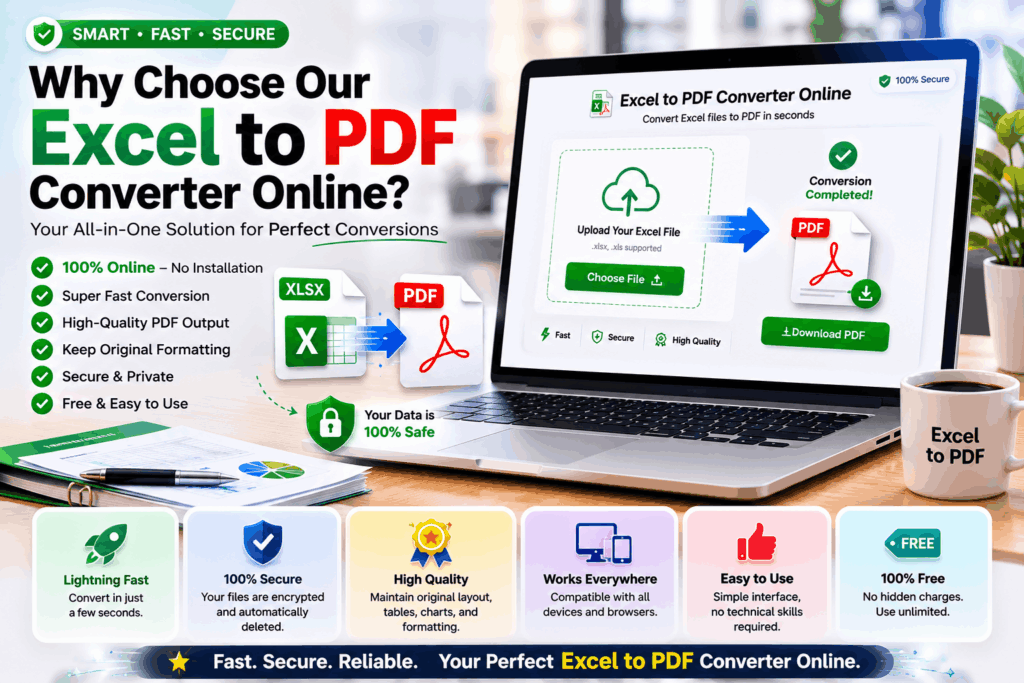
We’ve designed our Excel to PDF Converter Online to ensure that your conversion is hassle-free and secure from start to finish. What makes it special:
No hidden fees or charges and 100% free. No Registration Required – begin converting immediately. Advanced processing with the latest conversion technology. Good quality output, with original formatting preserved. Supports all devices (desktop, tablet, smartphone). Ensure data security with encrypted connections and automatic deletion of files. Easy drag and drop interface for hassle-free uploads. Works with XLS & XLSX files for optimum compatibility.
1 spreadsheet or 100 — our tool will yield reliable results in no time.